Stussy Jacket: Cross-Check fashionreps vs Sheet
- Published
- Revised
- Editors
- Marcus Hale · Editor-in-Chief
Before buying a Stussy jacket, the easiest mistake isn't adding the item to your sheet—it's mistaking different colors, different links, or incomplete size info for the same candidate record. A safer approach is to first organize the verifiable fields from the fashionreps catalog, then compare them item by item with your personal sheet; as long as key fields don't match, mark them as unconfirmed and hold off on making a purcha
Editor score 4.2 / 5
Before buying a Stussy jacket, the easiest mistake isn't adding the item to your sheet—it's mistaking different colors, different links, or incomplete size info for the same candidate record. A safer approach is to first organize the verifiable fields from the fashionreps catalog, then compare them item by item with your personal sheet; as long as key fields don't match, mark them as unconfirmed and hold off on making a purchase decision.

First, confirm what the catalog record actually provides
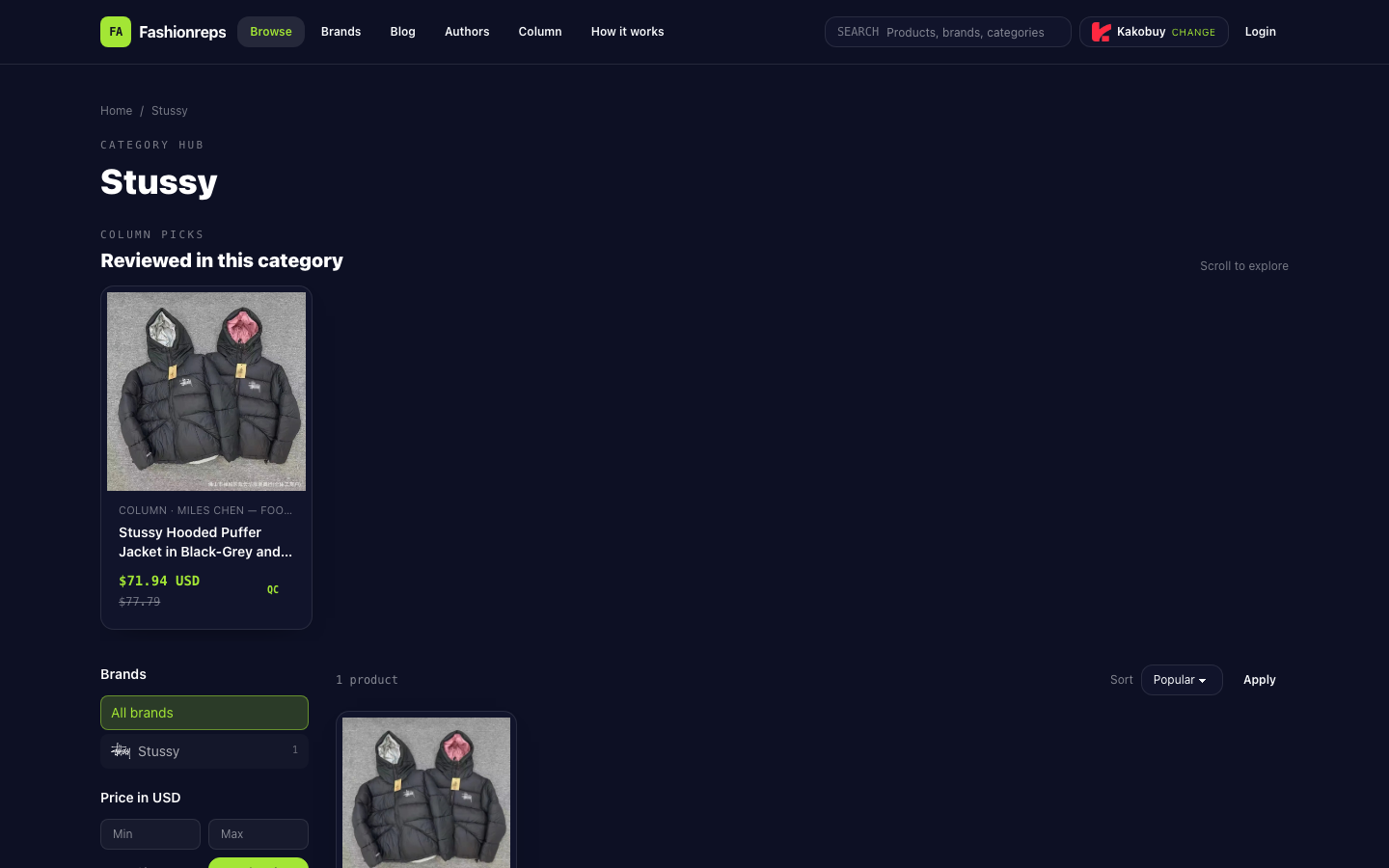
Fashionreps' Stussy category page currently displays one jacket catalog record titled Stussy Hooded Puffer Jacket in Black-Grey and Black-Pink. The page also shows 800 Fill Power and lists a reference price of $71.94; the page also retains a previous reference price of $77.79.
This information only proves that the catalog card displays the corresponding name, color description, fill specification, and reference price. It does not by itself prove current stock, final purchase price, shipping, or whether a particular size is still available. The page states that orders, payments, and shipping are handled by an external shopping agent, so these matters cannot be concluded from the category page alone.
The page also shows a QC-related entry, but the catalog card itself cannot replace a field-by-field check of specific images, size charts, or product details. If the page you enter does not have corresponding images, colors, or size information, leave that field blank and pause judgment.
Break down the catalog fields and cross-check with your sheet
Don't just copy the product title into your sheet. It's recommended to set up at least the following fields:
| Check Field | What can be recorded from the catalog | Sheet cross-check focus |
|---|---|---|
| Product Name | Stussy Hooded Puffer Jacket | Is it the same jacket, not a similar title |
| Color | Black-Grey, Black-Pink | Did you mistake two colors for one, or select the wrong variant |
| Fill Specification | 800 Fill Power | Is the sheet missing, wrong, or from another record |
| Reference Price | $71.94; page also shows previous $77.79 | Is it marked as reference price, not final amount due |
| Product Link | Link copied from current catalog record | After clicking, does it still return to the same product and corresponding variant |
| Size | Needs to be confirmed on the corresponding product page | Don't infer size availability from blank fields |
| QC Info | Page provides QC-related entry | Does it actually correspond to this item, not a generic category page entry |
Among these, color and link should be treated as two independent verification conditions. A link may open, but that doesn't mean the page has defaulted to the color recorded in your sheet; likewise, having Black-Grey in your sheet doesn't mean the link won't jump to Black-Pink or another product.
A complete cross-check workflow
Step 1: Start from the catalog record, not reverse-engineering from an old sheet
Open the Stussy category page and confirm the brand category, product title, and the currently displayed color descriptions. First record the color names as they appear on the page—don't shorten Black-Grey to "grey" or Black-Pink to "pink." Keep the original combinations to help identify variant mismatches later.
Step 2: Copy the link and immediately return to the page to recheck
Copy the product link corresponding to the catalog record into your sheet, then reopen that link. Check whether the browser address, product title, and page images still point to the same Stussy jacket. If the link jumps to another product, a blank page, or an unverifiable page, mark the status directly as "link pending confirmation."
Don't assume the link is correct just because the page still shows the Stussy brand. Brand consistency only means the category might be similar; it doesn't prove the product, color, and size are the same.
Step 3: Check color and images one by one
If the page shows both Black-Grey and Black-Pink, your sheet should clearly record the specific candidate color. Check whether the product images support the color description; if the images can't distinguish between the two colors, or if the page only has one image that doesn't confirm the variant, mark the color status as "pending confirmation" instead of choosing on your own.
The boundary of judgment here is important: the catalog page supports the fact that the color text is displayed, but it cannot confirm the actual product color, lighting differences, or the final shipped color for you.
Step 4: Confirm size separately; don't infer from title or images
Size is a field that must be checked independently. The product title, fill specification, and color information cannot prove that a certain size is available. After entering the corresponding product detail page, look for clear size options or a size chart; if there is no readable size information, keep "unconfirmed" in your sheet and don't fill in a common size as a default.
If your sheet originally had a size but the detail page has no corresponding option, don't immediately conclude it's sold out. The current evidence only shows that the two records are inconsistent. The next step should be to check whether the link is correct, whether the page loaded fully, and whether size information is located in another area.
Step 5: Treat price as time- and page-state information
The current catalog page shows a $71.94 reference price and also shows a previous $77.79 reference price. Your sheet should record both the price value and the page label, to avoid writing the reference price as the final transaction price.
You cannot infer discount duration, agent fees, shipping, taxes, or total payment from these two numbers alone. If your purchase decision depends on budget, get new fee evidence from the external shopping agent page before calculating, rather than substituting the catalog reference price for the checkout amount.
Step 6: Save both "confirmed" and "unconfirmed" statuses
It's recommended to add a verification status field in your sheet and use short, reviewable values, such as:
- Confirmed: Title, color, link, and size information all correspond.
- Partially confirmed: Catalog info corresponds, but size or variant still lacks evidence.
- Link pending confirmation: Link cannot open, jumps to another product, or page content doesn't match.
- Color pending confirmation: Text or images are insufficient to determine the specific color.
- Pause purchase: Key fields conflict, and recheck isn't complete.
The purpose of the status field is not to score products, but to prevent incomplete records from being mistaken for purchase conclusions. Especially "partially confirmed" should not be mixed with "confirmed" when filtering your sheet.
When to pause purchase judgment
If any of the following situations occur, stop the next purchase decision first:
- After opening the link, the product title doesn't match Stussy Hooded Puffer Jacket.
- The page still opens, but the color has only a vague description that can't correspond to Black-Grey or Black-Pink.
- Your sheet has a size, but the detail page has no verifiable size options or size chart.
- The reference price is recorded as the final price without external checkout page evidence.
- A QC entry exists, but you can't confirm its content corresponds to this item.
- The catalog page and detail page show conflicting fields.
These situations don't necessarily mean the product has problems; they only indicate that current evidence is insufficient to support continuing the purchase. Keeping the original record, page state, and conflicting fields is more helpful for finding the cause in later rechecks than overwriting old values.
Final checklist
Before marking a candidate as ready for further evaluation, check in this order:
- Does the product title correspond to the same Stussy jacket.
- Is the color fully recorded as Black-Grey or Black-Pink, not a generic color name.
- Does the copied link return to the same product page.
- Do product images or variant info support the color in your sheet.
- Is the size from clear content on the corresponding detail page.
- Is 800 Fill Power accurately recorded, and not mistaken for size or price info.
- Is $71.94 labeled as current reference price, and $77.79 labeled as previous reference price.
- Are reference price, stock, shipping, and final fees not mixed up.
- Are conflicting fields marked as unconfirmed.
After completing this round of checks, the value of your sheet isn't to make the purchase decision for you directly, but to separate catalog facts, personal records, and missing evidence. For this Stussy jacket record, the catalog page can serve as a starting point for verification, but until the link, specific variant, and size are all matched, it should not be treated as a confirmed purchase candidate.
Community feedback 5 reviews
Reader score 4 / 5 (5 ratings)
- jules_r4 / 5
the size info part hits hard, I ordered a Stussy jacket in my usual M and it fit like a small L. Always check the measurements table before anything else.
- sl0wbuyer4 / 5
Good write up but I still think color naming across listings is a total mess. One shop calls it coffee, another brown, third one khaki. Half my notes are just me arguing with myself in the margins.
- quietfox5 / 5
Marking mismatched fields as unconfirmed is the advice I wish I had earlier. I used to just eyeball the pictures and hit buy. Great breakdown, going to apply this to my next haul.
- hanz_2083 / 5
Honestly the whole cross-check thing sounds like more work than it's worth until you actually lose money on a mismatched link. Learned it the hard way with a pair of sneakers last month, different batch, different leather.
- repchecker_mike4 / 5
Been burned by this exact thing, ordered what I thought was the same jacket twice and got two different shades of brown. Now I screenshot every listing and keep the size chart in the same note. Boring but it works.