rolex Watches: Spreadsheet vs Google Sheets Specs & Costs
- Published
- Revised
- Editors
- Marcus Hale · Editor-in-Chief
Introduction When organizing rolex watch candidates, the core challenge isn't simply copying product names into a spreadsheet—it's consolidating scattered information from website catalogs, product cards, image pages, and external purchase flows into a reviewable shortlist. This guide is for readers who have already seen relevant watches on fashion-reps but haven't yet confirmed specs, link status, and cost details. By the end, you should be able to: - Build a candidate pool from site-based prod
Editor score 4.2 / 5
Introduction
When organizing rolex watch candidates, the core challenge isn't simply copying product names into a spreadsheet—it's consolidating scattered information from website catalogs, product cards, image pages, and external purchase flows into a reviewable shortlist. This guide is for readers who have already seen relevant watches on fashion-reps but haven't yet confirmed specs, link status, and cost details.
By the end, you should be able to:
- Build a candidate pool from site-based product catalogs
- Record model, size, color, images, and original page clues
- Use Google Sheets for filtering, supplementing, and collaborating
- Keep price, stock, shipping, tax, and after-sales details with missing evidence as pending verification
- Distinguish between "information seen on the page" and "facts ready for ordering"
This method is not intended to treat product records as direct guarantees of stock, authenticity, final price, or delivery. 🧭
Defining the rolex Watch Organization Task and Comparison Scope
First, establish the sole objective: to filter out rolex watch candidates worth further verification from visible product pages, and preserve specs, images, page status, and pending cost items for each candidate.
Don't try to fill in all fields from the start. The first round focuses on building a candidate pool, the second on details, and the third on rechecking pages and purchase flows. This reduces repeated browsing and prevents mistakenly discarding valuable candidates due to missing information.
Suggested four record categories:
- Product identification: title, model or style name, SKU, category
- Visible specs: size, color, material description, dial or strap info
- Page evidence: product page, image page, QC page, page update or crawl date
- Pending verification items: price, stock, shipping, tax, buying agent, return/exchange terms
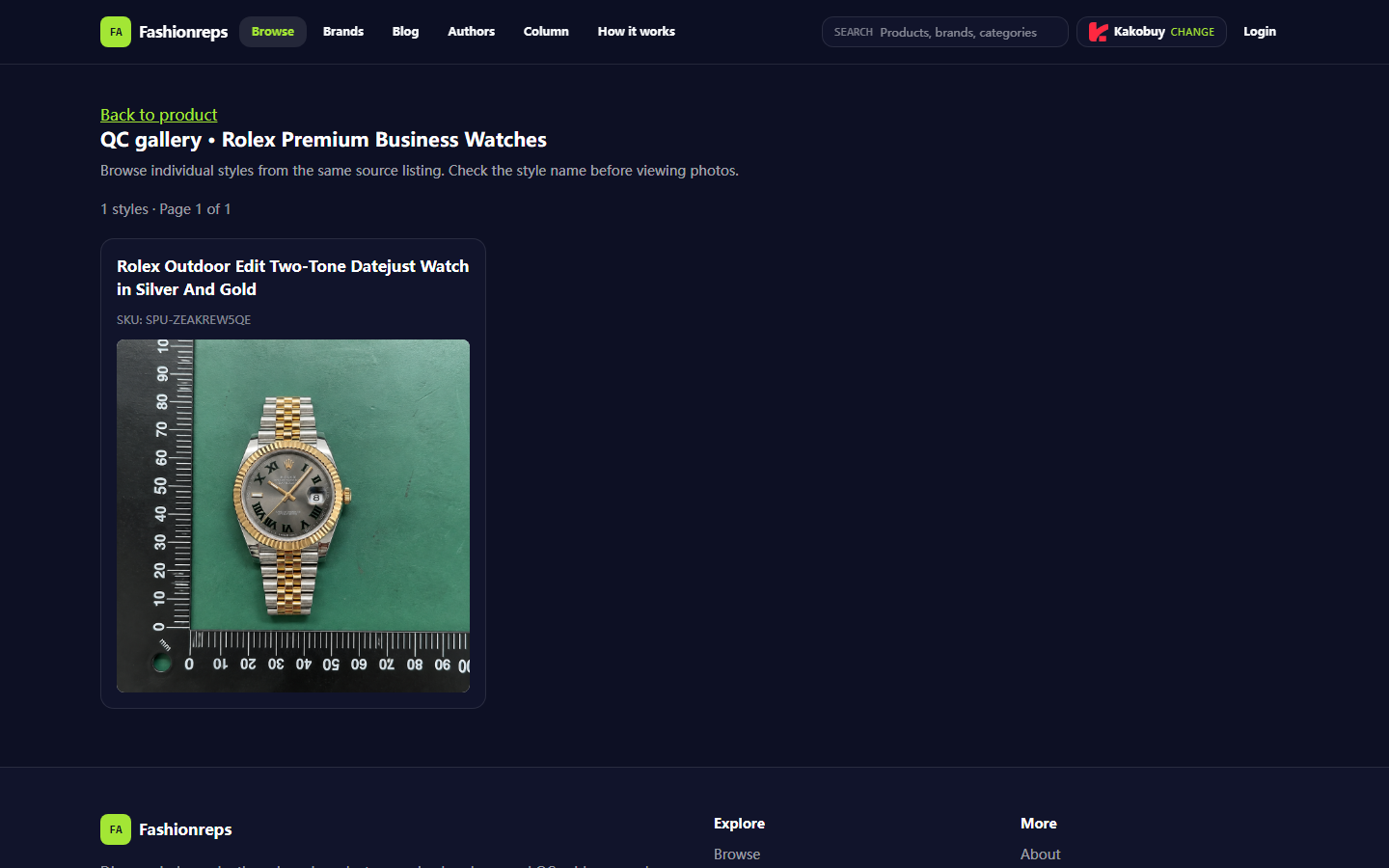
In the current sample, the QC page shows product name, style count, individual style names, and SKUs. It also advises checking the style name before viewing corresponding photos. For organization, this means style names and images should not be merged based solely on similar appearance.
Checking Watch Product Cards and Visible Specs from the fashion-reps Site Spreadsheet
fashion-reps' site-based catalog is ideal for initial discovery. The page provides product browsing, brand entry, search, and QC-related entrances; product pages allow further inspection of individual styles and their image evidence. Navigate using the page's actual links, and don't treat the catalog as a complete ordering system.
First pass is only for candidate registration:
- Open categories or search results related to rolex watches.
- Record the original names from product cards—don't rush to rewrite them into your own shorthand.
- Open product details to check for explicit style names and visible specs.
- If the page provides a QC or image entry, verify the images correspond to the current style.
- Note the page access date and mark whether the link opens correctly.
- Write unverifiable fields as "pending verification"—never fill in guesses.
If a page contains multiple styles, create a separate row for each style. Identical product names don't mean identical colors, sizes, or strap configurations; different styles under the same source list should not share a single image record.
Recommended Candidate Record Fields
| Field | Recording Method | Review Focus |
|---|---|---|
| Product original name | Preserve page text | Avoid treating custom abbreviations as official names |
| Style or model | Fill per page visible info | Leave blank or pending if model unclear |
| SKU | Record as is | Check consistency with QC or detail page |
| Size and color | Only record explicitly stated info | Images alone cannot prove size or material |
| Image status | Record existence and style match | Do not treat images as physical inspection results |
| Page link status | Normal, redirect, blank, or to recheck | Access date must be kept |
| Cost status | Shown, partially shown, or pending | Do not treat product page price as final cost |
How to Design Model, Size, Color, Link, and Cost Notes in Google Sheets
Google Sheets is better suited for organizing, filtering, and collaborating. Each row should represent one specific candidate style, and each column one main meaning—avoid cramming multiple facts into one cell.
Recommended column order:
record_id: internal IDsource_title: original website titlestyle_name: style name shown on pagesku: SKU visible on product or QC pagewatch_size: size infodial_color: dial colorstrap_color: strap colorvisible_material_note: visible material description on pageproduct_page_status: product page statusqc_page_status: QC or image page statusimage_reference: brief note on corresponding imageprice_status: whether price is shown and needs recheckstock_status: stock statusshipping_status: shipping statustax_customs_status: tax and customs info statuslast_checked_at: last verification datenext_action: next steprisk_note: points prone to misjudgment
For cost fields, don't write a seemingly precise total. Better to separately record product price, agent service fee, domestic shipping, international shipping, possible taxes, and final pending items. If the page doesn't provide an item, write "not shown" instead of zero.
How to Record Pending Cost Verification
For example, a record could read: product price: not shown on page; stock: pending confirmation; international shipping: to calculate; destination taxes: not verified; next step: go to buying agent page for confirmation. Such notes are more suitable for decision-making than unverified estimates. 💰
Operation Sequence for Site Catalog Browsing and Spreadsheet Filtering
Site catalogs and Google Sheets serve different purposes. The site is for discovering and revisiting original evidence; the sheet is for comparing candidates side by side. Don't try to do everything in one place.
Recommended sequence:
- Build initial candidate list from site categories or search.
- Deduplicate by original title, style, and SKU.
- Open candidate pages one by one to confirm name and visible specs.
- Write page status and verification date into the sheet.
- Filter by size, color, image status, and cost status in Google Sheets.
- Return to original pages to recheck key candidates after filtering.
- Mark only fields still lacking evidence as pending—don't substitute filtering results for facts.
Sheet filtering helps quickly find records like "has images but missing costs", "has SKU but missing size", "page opens but stock unspecified". It cannot replace rechecking original pages or automatically judge whether images truly correspond to a specific configuration. 🔎
How to Establish Correspondences for Images, Specs, Update Times, and Link Status
Image records must include at least three links: corresponding product record, corresponding style, and corresponding page date. Saving images without style names makes it easy to mix different styles from the same source list.
Suggested image status categories in the sheet:
- Has images and matches style name
- Has images but style match unclear
- Page has image entry but currently inaccessible
- No usable images
- Needs recheck
Images help observe appearance, color, and configuration clues as displayed, but cannot prove material grade, movement condition, timekeeping, authenticity, or actual wear. Don't write product or QC images as completed physical tests, nor expand details in images into specs not stated on the page.
last_checked_at should record the actual viewing date. Price, stock, shipping, tax, buying agent, and return terms may change; old records cannot serve as current commitments. For link status, opening normally only means the page was accessible at that check, not that it won't redirect, delist, or change later.
Differences Between the Two Tools in Rapid Discovery and In-Depth Organization
| Task | Site Spreadsheet or Product Catalog | Google Sheets |
|---|---|---|
| Discover candidates | Via categories, brands, search, and product pages | Depends on imported records |
| View original images | Directly return to product or QC pages | Via saved page clues |
| Multi-condition filtering | Limited by actual site filter capabilities | Can filter and sort by multiple fields |
| Add cost notes | Usually requires going to purchase or agent flow | Ideal for centrally recording known, unknown, and pending statuses |
| Collaborative organization | Mainly for content display and browsing | Suitable for multiple people to supplement, review, and mark next steps |
| Evidence traceability | Original pages are primary source | Sheet is an index, not original evidence |
Site catalogs are better for initial discovery and verification; Google Sheets for subsequent organization and review. Treating the sheet as the sole source risks missing link failures, spec updates, or cost changes; relying only on site pages makes cross-comparison of candidates difficult.
How to Preserve Pending Verification When Specs or Cost Fields Are Missing
Pending verification is not blank, nor a default negative. It should state what evidence is missing and where to look next.
Use consistent status labels:
Confirmed visible: page clearly shows this fieldPartially visible: clues exist but incomplete conditionsNot shown: current page doesn't provide this infoNeed agent confirmation: requires entering actual purchase flowNeed recheck: record date old or link status changedNot applicable: field doesn't apply to this product or step
For example, if size has only an image as reference, record "partially visible" or "unconfirmed", not a scale-based guess. Shipping without destination, route, weight, or packaging info should not have a fixed number. Customs and tax must be verified with destination and actual route; risk cannot be reduced through split shipment, undervaluation, or inspection avoidance.
Do Not Treat Spreadsheet Records as Stock, Authenticity, or Price Guarantees
The value of an organized sheet is improved traceability, not manufactured certainty. Product titles, images, SKUs, and page links help identify candidates but cannot alone prove:
- Item is in stock
- Item has an authenticity relationship with the brand original
- Colors and sizes in images are actual available configurations
- Page price equals final payment amount
- Shipping, tax, and fees are included
- Buying agent supports this item or route
- After-sales, returns, and compensation terms are established
Before ordering, reconfirm the buying agent page, destination country, available routes, total cost, customs responsibility, return/exchange terms, and personal information security. Do not put order numbers, complete shipping labels, passports, payment cards, or other sensitive data directly into shared sheets. 🔐
Post-Organization Review and Next Steps After Completing Candidates
After the first round, use filters to check these record groups:
- Has product title but missing style name
- Has SKU but no corresponding images
- Has images but cannot confirm which style they belong to
- Page has redirected, blank, or inaccessible
- Price, stock, or shipping still unverified
- Last verification date is old
- Same candidate recorded multiple times
Then randomly select a few records and return to original pages to ensure the sheet's title, SKU, style, and page status haven't drifted during copying. For candidates needing further purchase, next step is to verify buying agent availability and full costs—not to treat sheet estimates as order amounts.
If combining packages can reduce repeated first weights or some operational costs, it may also increase volumetric weight, parcel value, and per-shipment loss risk; splitting may increase fixed costs but sometimes suits route restrictions or risk diversification. Whether to combine should be calculated based on actual item count, weight, volume, route, and destination rules—not decided by a single cost field in the sheet.
Final retained candidates should have clear source records, revisitable page clues, explicit pending verification items, and next actions. Such a Google Sheets becomes a reviewable workbench—not stock proof, authenticity certification, or final quotation. ✅
Article Image

Community feedback 5 reviews
Reader score 4 / 5 (5 ratings)
- PriyaN4 / 5
Read this twice and rebuilt my sheet from scratch. The reviewable shortlist idea is the real takeaway, the spreadsheet itself is just the vehicle. One gripe: wish there was a quick note on handling duplicates when the same model shows up on multiple catalogs under slightly different names. That ate an hour of my evening.
- watch_tinkerer4 / 5
Solid structure but I'd add a column for image page link since half the product cards don't show the actual dial clearly. Also note that external purchase flows sometimes change specs between the catalog listing and the final page, so double check before you lock a row in.
- Lena K.5 / 5
This is exactly what I needed. I had 30+ tabs open across catalogs and product cards and no way to compare anything. Built the candidate pool section by section, specs in one block, cost details in another, and it actually made the shortlist decision obvious. Thank you for spelling out the flow instead of dumping a template.
- dan_pdx823 / 5
Honestly the Google Sheets angle kind of lost me. I get why people track links and specs but I just keep a notes app list and it works fine. The bit about verifying link status before adding to the shortlist was useful though, had two dead pages sitting in my bookmarks for weeks.
- MarcusV_TX4 / 5
Finally someone put this in spreadsheet terms instead of just showing a gallery. I started a tab last night pulling names off the catalog pages and already the cost columns are the messy part, not the watches. Did you use one column per site or one master sheet?