Champion Hoodies Catalog to Sheets: Size Evidence
- Published
- Revised
- Editors
- Marcus Hale · Editor-in-Chief
First define the filtering goal If you want to keep Champion fall/winter hoodie candidates with relatively complete size evidence, it's recommended to break the task into three steps: first build candidates from the Champion catalog on Fashionreps, then go back to the product pages to verify information, and finally use Google Sheets to record evidence and decide whether to keep or exclude them. The focus of this method i
Editor score 4.2 / 5
First define the filtering goal
If you want to keep Champion fall/winter hoodie candidates with relatively complete size evidence, it's recommended to break the task into three steps: first build candidates from the Champion catalog on Fashionreps, then go back to the product pages to verify information, and finally use Google Sheets to record evidence and decide whether to keep or exclude them.
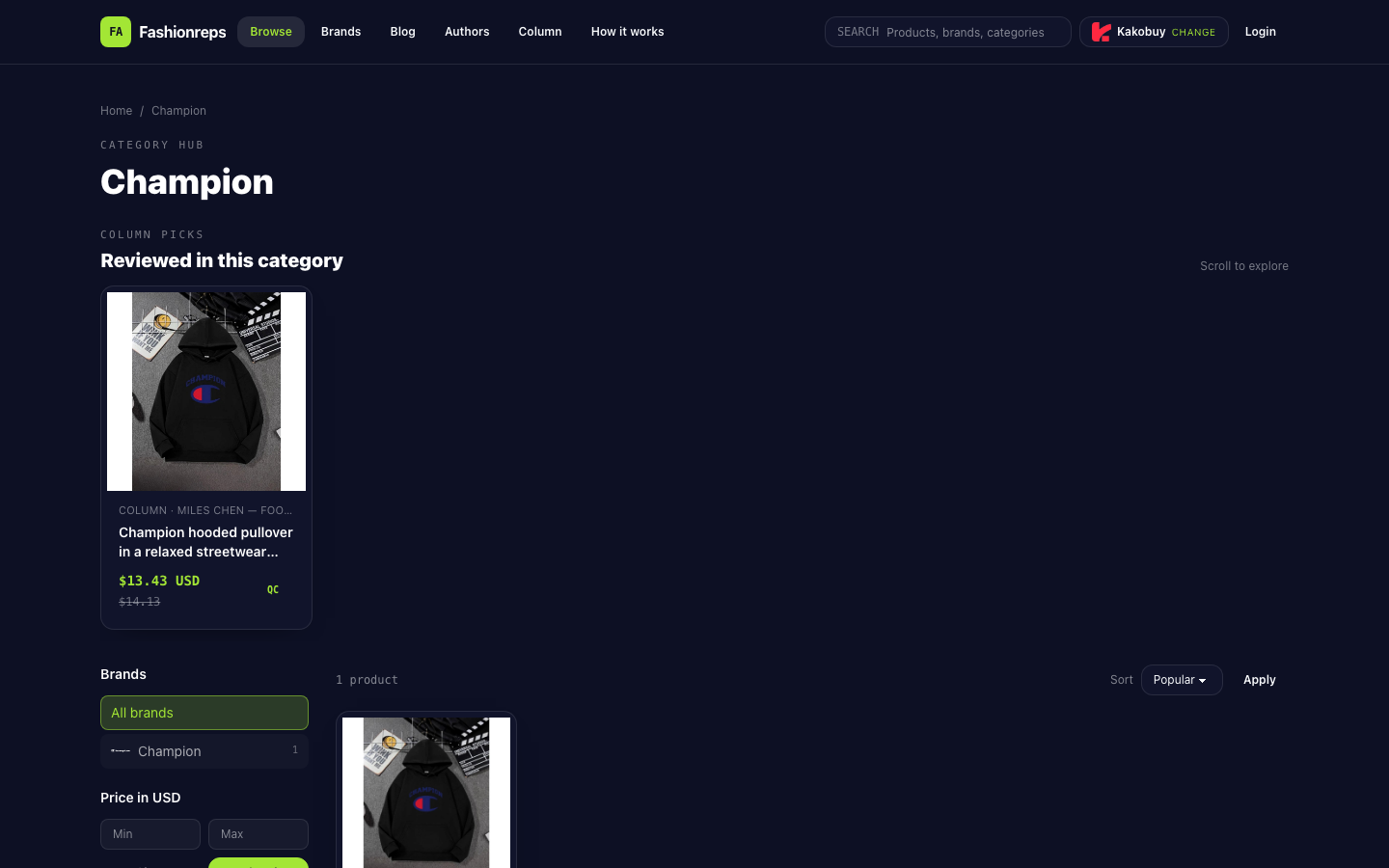
The focus of this method is not to compare prices first, but to confirm whether each candidate has enough information to support the next judgment. Currently the Champion category page shows 1 product, described as a loose street-fit pullover hoodie, with a weight range of 351–399 grams, and shows a reference price of 13.43 US dollars; previously the reference price was 14.13 US dollars. The page also provides a QC photos entry. The prices above are reference information on the page, not equal to the final product cost, and do not include possible agent service fees, shipping costs, or other fees.

Image: Champion Hoodie Catalog to Sheets, schematic, not actual item, QC, or personal verification evidence.
What the catalog page is suitable for
The catalog page is suitable for candidate discovery and initial filtering. The operations visible on the current page include:
- Filter by brand; currently the Champion category shows 1 product.
- Set minimum and maximum prices in USD.
- Sort by popular, newest, price low to high, or price high to low.
- Enter product information and QC photos entry from the category page.
These functions help you quickly confirm which candidates are on the page, but they cannot replace size verification. The visible information on the category page includes product type, fit description, weight range, reference price, and QC entry; if you need chest width, length, shoulder width, sleeve length, or specific measured data for a size, you should open the product page or QC images to verify. The source page does not provide a complete size chart in the verified content, so you cannot determine if a certain size fits your body dimensions based solely on the category page.
Check the product page first, then write to the sheet
When creating the sheet, do not directly treat the catalog page's marketing descriptions as size evidence. Follow this order to verify:
- Record the product title, type, reference price, and link status seen on the catalog page.
- Open the product page and confirm whether the title, color options, visible sizes, and product images are consistent with the catalog page.
- Check if there is a size chart, distinguishing between specifications provided on the product page and possible measured information in QC images.
- Check if the QC photos entry can be opened, and record whether the images include size labels, measurement process, or clear flat lay photos of the garment.
- Mark fields that cannot be confirmed as "to be supplemented"; do not use fit names or weight ranges to replace key dimensions.
- If the product page, images, or links cannot be further verified, mark the candidate as "insufficient evidence" rather than directly marking it as suitable for purchase.
For fall/winter hoodies, at least prioritize checking length, chest width or half-chest, shoulder width, and sleeve length. If the page only provides a loose fit description without corresponding size data, it can only indicate that the fit information is limited, and cannot deduce specific wearing effects.
What fields should be recorded in Google Sheets
The value of Google Sheets is to put information scattered across the catalog, product pages, and QC images in the same row for easy filtering, supplementation, and review. You can start with the following fields:
| Field | Recording method | Purpose |
|---|---|---|
| Candidate name | Keep the visible page title | Avoid confusion between candidates |
| Product type | E.g., pullover hoodie | Confirm if it matches the fall/winter hoodie task |
| Color | Only record colors explicitly shown on page or images | Prevent writing speculated colors into the sheet |
| Visible sizes | Fill in as actually shown on the page | Determine if further supplementation is needed |
| Length, chest width, shoulder width, sleeve length | Fill numbers and units; write "to be supplemented" if no evidence | Support size filtering |
| Evidence source | Catalog page, product page, or QC images | Facilitate tracing back to original location |
| QC entry | Openable, not openable, or not verified | Record image evidence status |
| Reference price | Keep the amount and date shown on the page | Distinguish page reference value from final cost |
| Link status | Valid, to be verified, or invalid | Prevent recommending invalid links |
| Decision | Keep, to be supplemented, or exclude | Form clear filtering results |
| Exclusion reason | E.g., lacking size evidence | Make later review explainable |
Amount fields are best separated from note fields. The current page shows both a reference price of 13.43 US dollars and a previous reference price of 14.13 US dollars; the sheet can record current reference price, previous reference price, and verification date separately to avoid misrepresenting changes as discount promises. The final order cost still needs to be further verified on external agent websites; this article does not calculate shipping or total price based on the catalog page.
Use evidence to decide keep or exclude
Candidates can be divided into three categories, rather than only "buy" or "not buy":
- Keep: product type matches the task, page link can be further verified, at least clear size information exists, and key size evidence is sufficient for next comparison.
- To be supplemented: product type matches, but key fields such as length, chest width, shoulder width, or sleeve length are missing, or QC image entry has not been verified.
- Exclude: link invalid, product page inconsistent with catalog information, cannot confirm product type, or key size information cannot be supplemented long-term.
"Loose street fit" can serve as a reference for wearing positioning, but cannot be directly converted to "suggest buying one size up" or "suitable for a certain body type." Similarly, 351–399 grams can only be used as the weight range displayed on the page; it cannot determine warmth, fabric thickness, or actual wearing comfort.
If you want to set filtering conditions, you can start with a simple combination of statuses: product type matches, link status valid, size fields not empty, key size evidence confirmed. Rows that do not meet the conditions remain in the sheet but do not enter the final candidate list. This way, you can keep exclusion records and avoid reopening the same page to re-judge.
How catalog browsing and sheet organization work together
The catalog page and Google Sheets solve different problems. The catalog page is for discovery and re-checking, while the sheet is for unified recording and filtering. Do not treat the sheet as product evidence itself, nor directly treat the catalog page's sorting results as purchase priority.
A practical working order is:
- On the Champion category page, confirm the current candidate quantity and visible page information.
- Enter candidates that match the "fall/winter hoodie" task into the sheet.
- Open the product page and supplement color, size, images, and link status.
- Enter the QC photos entry and record whether there is image evidence that can support size judgment.
- Mark candidates missing key dimensions as "to be supplemented" and do not fill in guessed values.
- Filter by evidence status and keep candidates that can be further judged.
- Fill in reasons for excluded items to avoid re-checking the same issue later.
If multiple people collaborate, it is recommended to separate "to be supplemented" and "verified," and clearly state in the evidence source field whether the information comes from the catalog page, product page, or QC images. This allows others to review the specific basis rather than just seeing a "suitable" conclusion without a source.
Final checklist
Before finishing organization, check row by row:
- Is it truly a Champion fall/winter hoodie candidate, not another clothing category?
- Are the product title, color, and size from the current page or images, not filled in from memory?
- Do length, chest width, shoulder width, and sleeve length have corresponding evidence; if not, mark as to be supplemented.
- Has the QC entry actually been verified? Do not assume image content is sufficient just because text appears on the page.
- Is 13.43 US dollars correctly recorded as the page reference price, not the final payment amount?
- Are invalid or unverifiable links excluded from purchasable candidates?
- Is a reason filled in for each excluded item to facilitate later review?
After organizing in this order, the sheet output is not a simple product list, but a candidate record with evidence status. The currently verified Champion category page supports catalog navigation, price filtering, sorting, and QC entry judgment; as for whether a specific size is suitable, it must be based on the product page and verifiable size evidence.
Community feedback 5 reviews
Reader score 4.2 / 5 (5 ratings)
- hoodie_hunter_885 / 5
Saved me from buying 3 wrong sizes already. The tip about cross-referencing the catalog with actual product page measurements is gold. I keep my sheet pretty simple: URL, listed size, measured pit-to-pit, and a keep/exclude column. Found a navy Champion hoodie that way and it fits perfectly. Thanks for writing this up.
- cgz3 / 5
the method works but its tedious. i tried it on maybe 10 hoodies and gave up halfway. not the guides fault though — sellers just dont list measurements consistently. would be nice if there was a shortcut for the verification step. still, appreciate the sheets template idea.
- Marcus_Thrifted5 / 5
This is the kind of practical workflow I wish more people shared. I used it last weekend on about 20 Champion hoodie listings. My Google Sheet has columns for pit-to-pit, length, sleeve, and whether the seller posted flat-lay measurements. Filtered down to 6 solid candidates. The catalog step saved me hours of scrolling.
- Priya-London4 / 5
Really like the evidence-based approach here. I set up the sheet with conditional formatting so any hoodie missing pit-to-pit or length gets highlighted red automatically. The part about going back to product pages is crucial — catalog thumbnails can be misleading, especially for Champion reverse weave vs standard fleece. Different fits entirely.
- dana_from_ohio4 / 5
Been looking for exactly this kind of breakdown. The three-step method (catalog -> verify -> Sheets) is solid. One thing I'd add: for Champion hoodies, check the inside neck tag and the size on the woven label separately. I've seen listings where the tag says L but the measurements match a M. That discrepancy alone gets a lot of candidates flagged.