Ami Paris Coupon Check Before Checkout
- Published
- Revised
- Editors
- Marcus Hale · Editor-in-Chief
Before checking out with an Ami Paris cardigan, the most important thing to confirm isn't whether a "deal" label appears on the page, but whether the discount applies to this item, whether it meets the threshold, and whether the final amount due on the checkout page actually changes. This article provides a review checklist for buyers who have already selected their item and are ready to proceed via the fashion-reps page to an external shopping agent p
Editor score 4.2 / 5
Before checking out with an Ami Paris cardigan, the most important thing to confirm isn't whether a "deal" label appears on the page, but whether the discount applies to this item, whether it meets the threshold, and whether the final amount due on the checkout page actually changes. This article provides a review checklist for buyers who have already selected their item and are ready to proceed via the fashion-reps page to an external shopping agent platform. 🧾
Please note upfront: the currently available information does not include a verifiable coupon code, specific discount amount, validity period, or payment restrictions, so we cannot guarantee savings. Orders, payment, and shipping are handled by the external shopping agent platform ultimately chosen by the buyer; the fashion-reps page itself is not a coupon issuer or order settlement party.
Clarify the Verification Task for the Ami Paris Cardigan
Before checkout, complete these four steps:
- Confirm that the item, color, size, and quantity are correct.
- Record the current price and currency shown on the product page.
- Find the coupon details displayed by the shopping agent platform and save the threshold, applicable scope, and restrictions.
- Before submitting payment, rely on the checkout page's displayed item amount, discount amount, shipping, taxes, and final amount due.
If a coupon appears only on the homepage, pop-up, or promo page without clearly stating applicable items and checkout method, do not count it as expected savings. 🔎
Record Item, Specs, and Current Visible Price from the Product Page
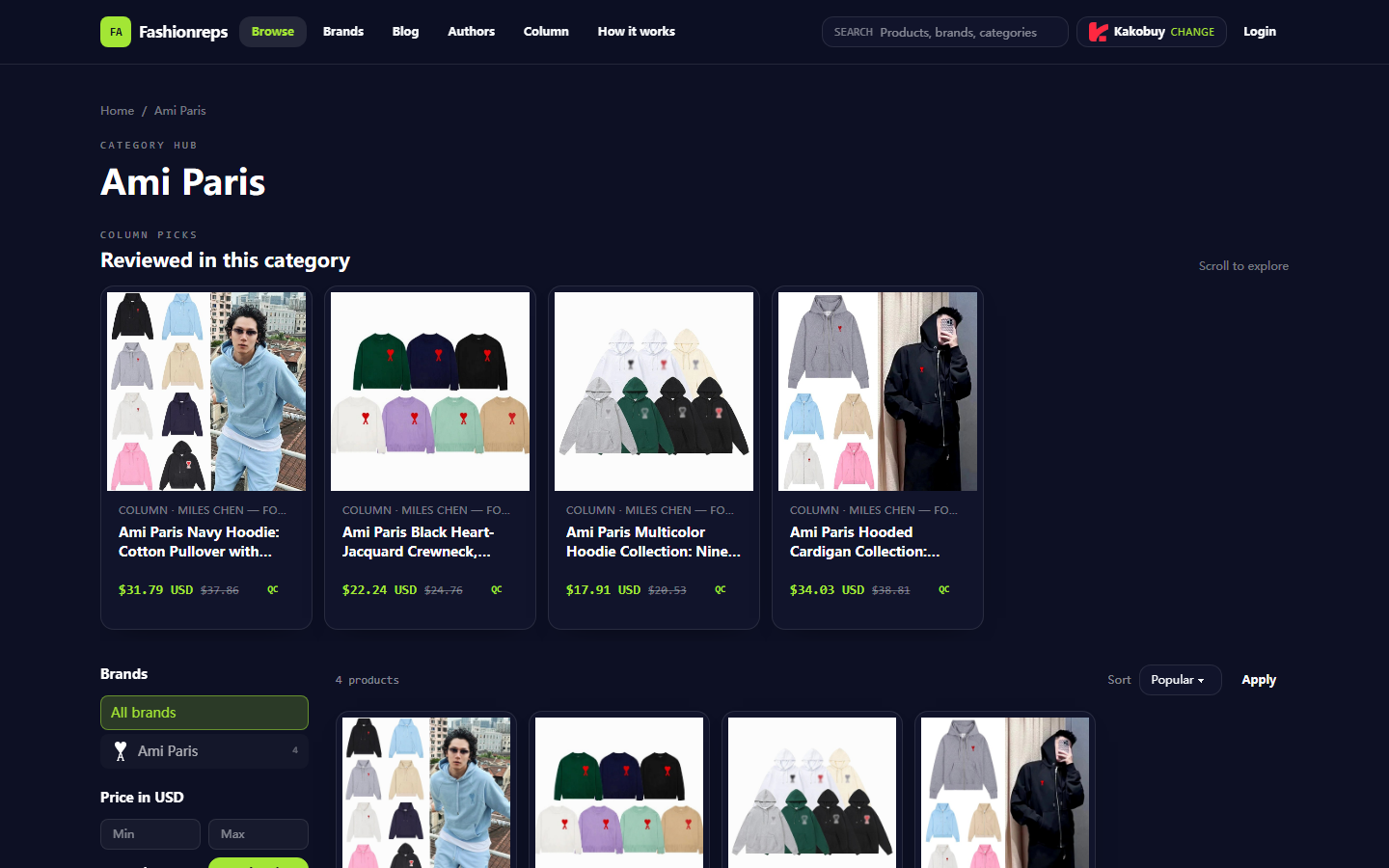
The Ami Paris category page on fashion-reps currently shows an Ami Paris Hooded Cardigan Collection, described as featuring embroidered heart pattern, 350–400g cotton terry, with sizes S–XL. The page shows a reference price of $34.03, alongside a previous reference price of $38.81.
This information is only for recording the product page before moving to the next step; it cannot be considered the final transaction price on the external agent platform. The actual checkout amount may be affected by the agent platform's product link, specifications, quantity, exchange rate, service fees, domestic shipping, international shipping, taxes, and other order conditions.
Before entering the agent platform, record the following:
- Product name or name corresponding to the product link
- Color, size, and quantity
- Reference price and currency shown on the product page
- Material, weight, or fit information shown on the page
- Date and time zone of recording
If the product page only says "cardigan," but after redirecting to the agent platform it shows a hoodie, different material, or different size range, pause checkout and confirm that the link and specs match. ⚠️

Find and Save the Coupon Conditions Displayed on the Target Site
After clicking the Buy button on the fashion-reps page, the system will take you to the selected shopping agent platform. Whether a coupon is usable should be checked within that agent platform's account, cart, or checkout page, not by treating the fashion-reps product page's reference price as the post-discount order price.
Once on the target agent platform, search in this order:
- Open the coupons, promo center, or new user offer page in your account.
- Check if the cart shows any available discount prompts.
- Open the coupon details and record the minimum spend, applicable site, applicable product category, and usage limit.
- Check if it's restricted to new users, specific payment methods, specific countries, or specific shipping routes.
- Save the coupon details page or order page as a personal reference, but do not share your order number, payment info, or full shipping address.
Only when the platform clearly shows that the coupon applies to the current item or order should you list it as "attemptable." Pop-ups, search results, or third-party forwarded codes without visible details should not be considered confirmed discounts.
Verify Threshold, Applicable Category, and Excluded Items
Coupon thresholds may be calculated based on item subtotal, order total, specific product category, or specific site. Buyers should confirm whether the threshold includes service fees, domestic shipping, international shipping, and taxes. Different platforms may calculate differently; you cannot assume eligibility just because the item price equals the coupon threshold.
Key questions to check:
- Whether the threshold applies per item or per order.
- Whether the threshold uses item subtotal or includes service fees.
- Whether Ami Paris or the current product category is excluded.
- Whether sale, clearance, or already discounted items cannot be combined.
- Whether the threshold is calculated in RMB, USD, or the platform's internal settlement currency.
- Whether the coupon is single-use or once per account.
- Whether returns, cancellations, or split orders still meet the threshold.
If multiple items are in the cart, the coupon may apply to the entire order if the threshold is met, but that doesn't mean each item gets an equal discount. Compare the order details before and after applying the coupon, not just the coupon name. 📌
Check Validity, Stacking Rules, and Payment Restrictions
The coupon details should clearly show the start time, end time, or applicable time zone. If it only says "limited time" without specific dates, don't treat it as confirmed savings. Also note that the platform's time may differ from your local time; near the deadline, rely on whether the coupon still appears as available at checkout.
Also check:
- Can it be combined with item discounts?
- Can it be combined with platform balance, points, or new user rewards?
- Is it restricted to credit card, debit card, e-wallet, or other payment methods?
- Is it restricted to certain countries, regions, or shipping routes?
- Does it require claiming first and manually selecting in the cart?
- Does it require entering a code before payment, or is it automatically applied?
If the platform shows "claimed" but no discount appears at checkout, do not consider the claim as successful use. Only when the order details explicitly list a discount amount is the pre-checkout verification complete. ✅
Re-verify on the Checkout Page That the Discount Actually Applied
The checkout page is the final verification point. Before submitting payment, check item subtotal, discount amount, service fees, domestic shipping, international shipping, taxes, and final amount due. Don't just compare item unit prices, because discounts may not apply to shipping, service fees, or taxes.
You can use the following recording method:
| Check Item | What to Record Before Checkout | Judgment Criteria |
|---|---|---|
| Product Info | Name, color, size, quantity | Matches the target Ami Paris item |
| Item Amount | Subtotal and currency | Based on current checkout page |
| Discount Info | Coupon name, discount amount, threshold | Must clearly show applied |
| Extra Fees | Service fees, shipping, taxes | Not assumed to be included in discount |
| Final Amount | Total before payment | Confirm again before submitting order |
If the discount amount is zero, the coupon status shows unavailable, or the total hasn't changed, take a screenshot of the visible message first, then decide whether to contact platform customer service, remove the coupon and recalculate, or pause payment. Don't buy items you don't need just to meet the coupon threshold.
Distinguish Page Facts, Conditions to Confirm, and Non-Assumable Savings
Currently confirmed page facts include: the fashion-reps Ami Paris category page shows a hooded cardigan description, S–XL sizes, 350–400g cotton terry info, and a reference price of $34.03. The page also shows a previous reference price of $38.81.
Still to be confirmed on the actual agent platform:
- Whether the item is in stock.
- Whether the selected color and size are available.
- The actual price on the agent platform.
- Whether there is a currently available coupon.
- Whether the coupon covers this item and selected specs.
- Service fees, shipping, taxes, and payment fees.
- Final amount due and available payment methods.
You cannot infer coupon codes, discount percentages, stock guarantees, free shipping, tax reductions, or final price from the product category page. Also, do not treat the reference price difference as the buyer's guaranteed savings.
Decide to Use, Ask, or Pause Based on Verification Results
If the coupon clearly works at checkout, the item specs are correct, extra fees are displayed, and the final amount fits your budget, you can save the order details and proceed to payment.
If the coupon name exists but the threshold, applicable category, or validity is unclear, ask the actual checkout agent platform, providing necessary product link or order page info. Do not share full order, passport, payment card, or complete shipping label.
If the coupon doesn't work, item specs don't match, the amount may still change before payment, or the platform can't explain extra fees, pause checkout. Pausing doesn't mean a "certain loss," but it can prevent buying the wrong item or incurring unexpected costs just to chase an uncertain discount.
Finally, save three types of records: product page info, coupon conditions, and pre-payment checkout page. Only when all three correspond and the checkout page clearly shows a discount amount can you include the savings in your budget.
Community feedback 5 reviews
Reader score 4.2 / 5 (5 ratings)
- kate_o5 / 5
Saved me from an impulse buy at 1am, thank you. Verified the amount due actually dropped before sending it to the agent and it did, so at least I know the coupon is real for that cardigan.
- Renzo3 / 5
Decent advice but it's mostly common sense if you've ordered reps before. Still, the bit about confirming the discount applies to the specific item and not just the store is worth repeating.
- plumfields884 / 5
Solid checklist. One thing I'd add — screenshot the cart before you jump to the agent, because sometimes the price shifts after you leave the fashion-reps page and it's hard to prove what you saw.
- Dana K.5 / 5
the threshold part is what gets me every time. my cardigan was like $12 short so the coupon did nothing lol. wish I read this first
- marcus_vt4 / 5
Good reminder honestly. I clicked through thinking the Ami code would just work but the checkout total was the same as before, only found out after wasting ten minutes. Lesson learned, always compare the final number not the banner.